Floppy Heroes 2 – Progress Update #7 — February 26, 2020

Floppy Heroes 2 – Progress Update #7

The Steam store page is finally up, and I have a solid release date: March 10, 2020.
https://store.steampowered.com/app/1254150/Floppy_Heroes_2

Over the last two months, I’ve been working hard getting Floppy Heroes 2 ready for its Early Access release on Steam. This includes things like creating multiple arenas, re-creating the original weapons and armor in the new 3D style, implementing a user-friendly “trait” system in the Item Creator, as well as more performance improvements so that this physics-heavy game can run as smoothly as possible on a range of computers.

Arenas

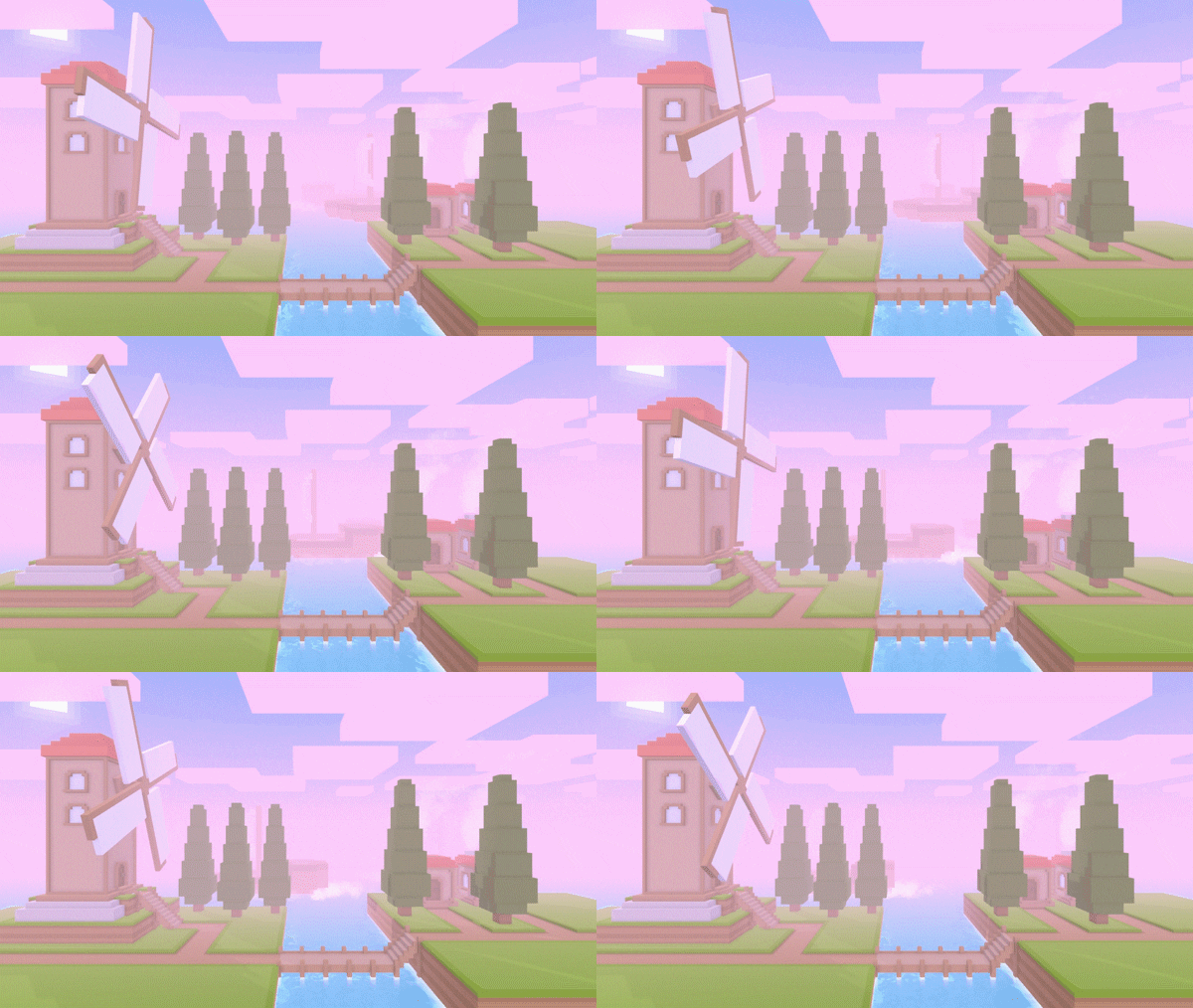
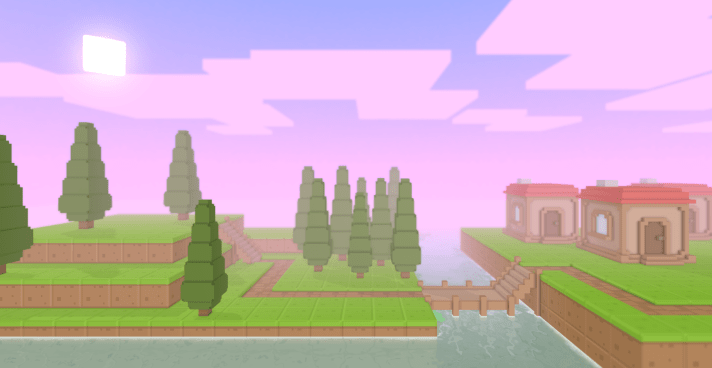
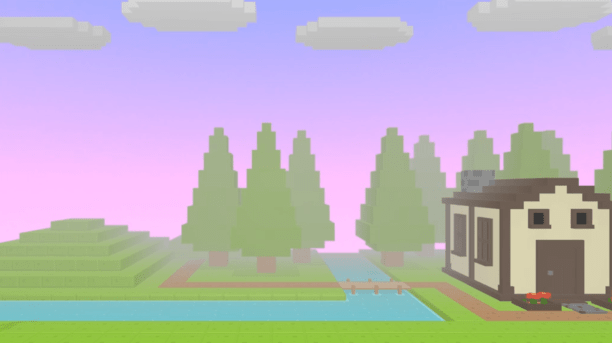
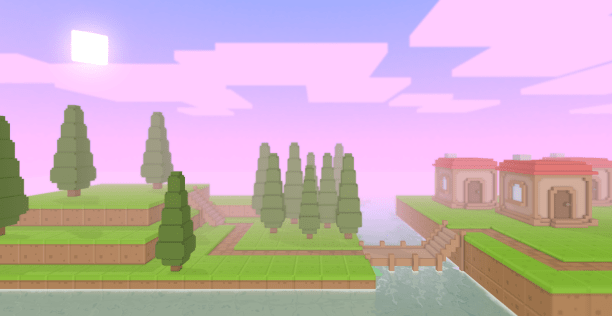
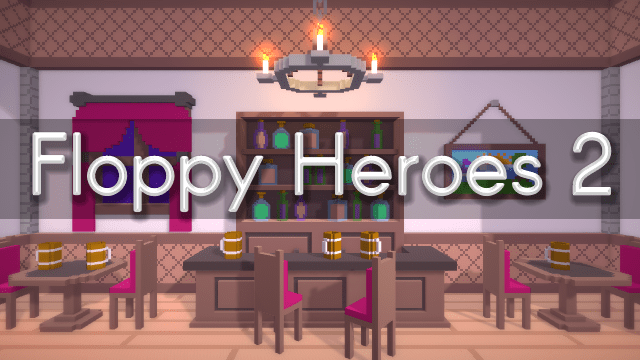
The game will launch with 4 unique arenas. Two of them are re-creations of popular stages from the first game (Tavern and Alchemy), and the other two are brand new (Island and Forest). Here’s some screenshots of each:

Armor & Weapons

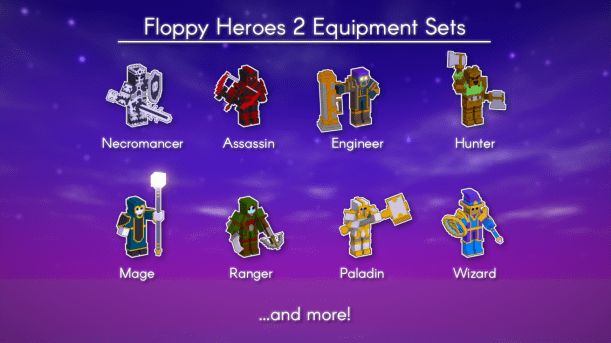
At launch, the game will feature the original 10 armor sets and ~25 weapons. In the near future, I will also add the 5 additional equipment sets that were added in the large content update.
Of course, the Item Creator means you’ll be able to create anything else you want!
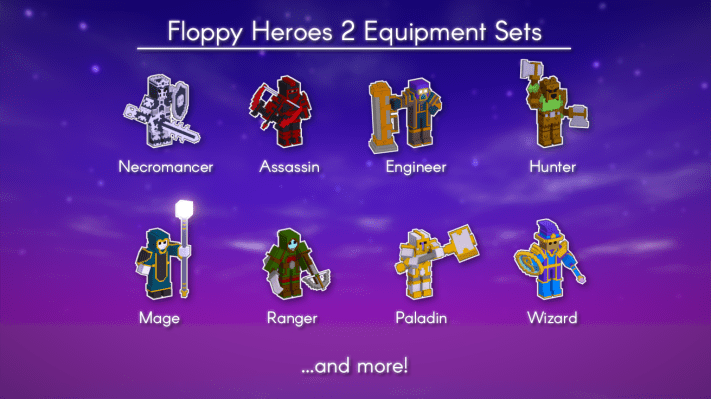
In case you missed the last update post, here’s a preview of 8 of the equipment sets that will be included at launch:Characters
Item Creator

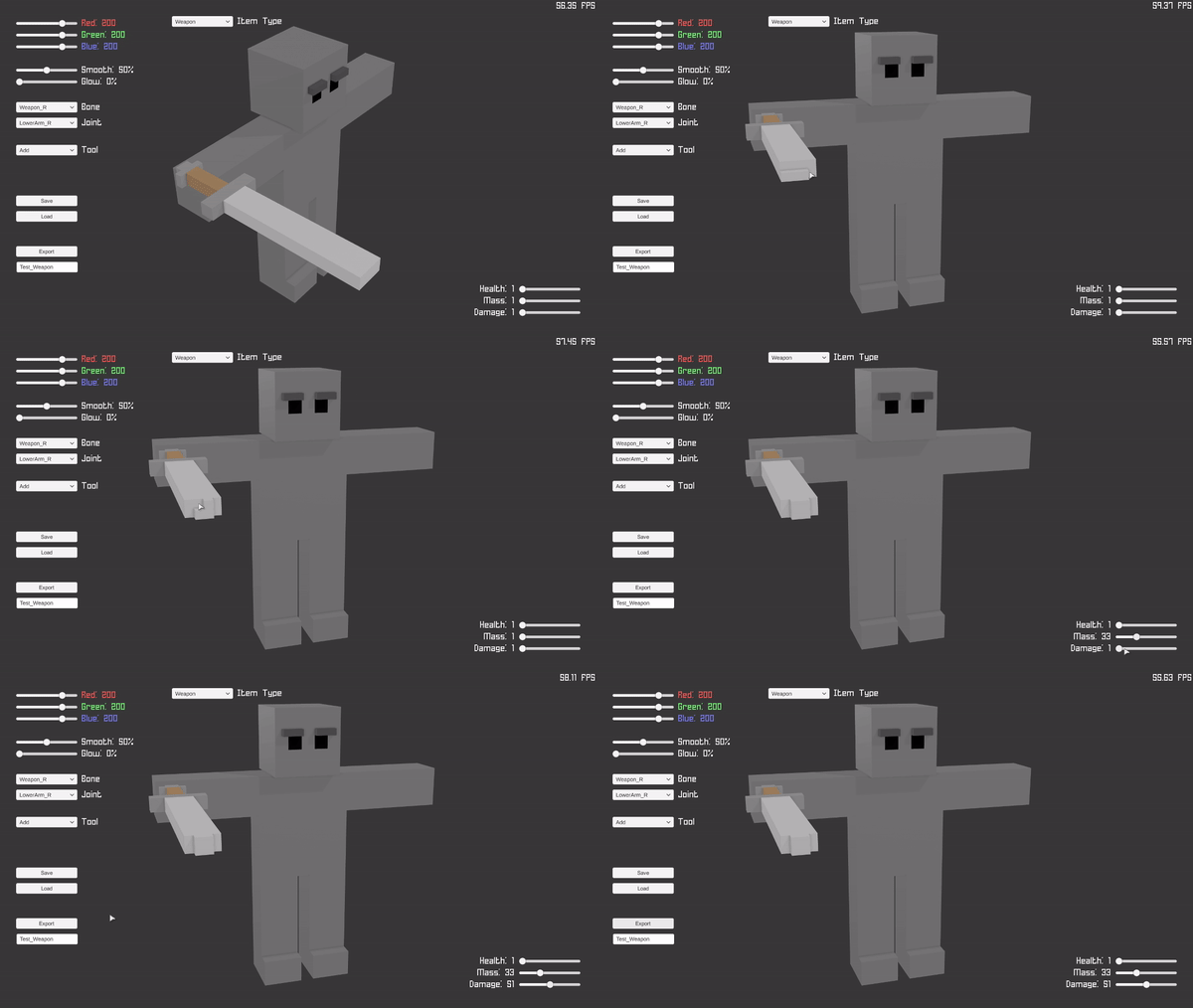
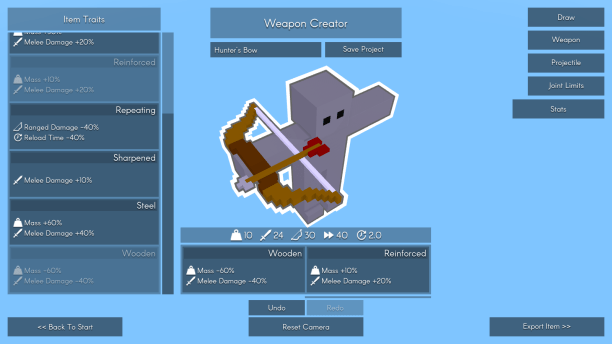
As previously mentioned, Floppy Heroes 2 will include an Item Creator that allows you to create your own armor and weapons. At the moment created items are only saved locally, but the plan is to implement Steam Workshop integration so that everyone can easily upload and download each other’s creations. I’m not 100% certain yet, but Steam Workshop will either be included at launch or shortly after, depending on how long implementing it will take.
Also, a while back someone pointed out that letting the user manually set their item’s stats using sliders may be tedious and unbalanced. I agreed with them and opted to implement a more interesting stat system; traits. Basically, once you’re done designing your item, you decide its stats by picking up to 2 unique traits from a list. Each trait contains modifiers that can increase/decrease stats (ie. health, mass, damage) or add additional effects (ie. poison). This system should be a lot more interesting and balanced than asking the user to play with a bunch of sliders.WeaponCreator_Traits
Anyway, that’s the gist of where things are at. I’ll be spending the next two weeks working hard to ensure the game is polished enough and comes out on time. In the mean time, check out the store page on Steam and feel free to leave any comments or questions either here or on the Steam community hub!

-Rimply
Floppy Heroes 2 – Progress Update #6 — December 20, 2019

Floppy Heroes 2 – Progress Update #6

Happy holidays!

So earlier this year I estimated that Floppy Heroes 2 would be on Steam by the end of the year. It’s currently the middle of December, so… what’s the current state of the game? Well, some things had taken a bit longer than expected (*cough* the item creator *cough*), but the good news is that the game is almost ready to be released! I’m currently estimating that I’ll have the game for sale on Steam Early Access in either January or February.

Back when I first announced a sequel to Floppy Heroes about two years ago, I explained that my main goal in doing so was to take everything I had learned about game development up to that point and rebuild Floppy Heroes from the ground up so that I could turn it into an even more enjoyable game. I was overjoyed with all the support and suggestions I had received from all of you, and I really want to follow through with my promise of crafting a bigger and better experience. Of course, that sort of promise takes a while to follow through on, especially when you’re a single developer handling all the coding, art, and whatnot on your own. It certainly doesn’t help that I intended to include features I had never implemented before, such as in-game modding tools, multi-language support, and Steam Workshop integration.

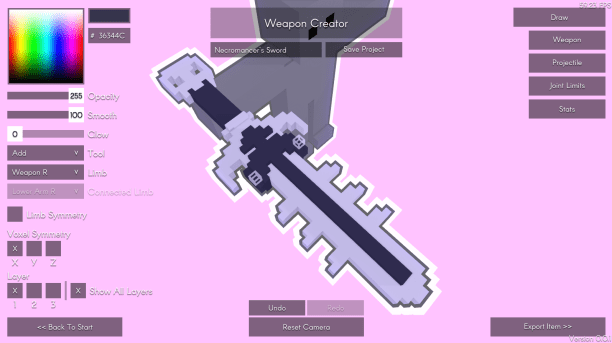
ItemCreator
(It took many, many hours to make this thing. The item creator, that is, not the sword)

Fortunately, all the individual pieces eventually started fitting together, all the items on my to-do list started getting crossed off, and now we’re almost at a point where I feel ready to start selling my weird little game.

As mentioned above, the game will initially be available in Early Access. The reason for this is that I want the community to have a strong say in the final shape of the game. Back when I created a discussion thread asking for ideas for the sequel, I was flooded with lots of awesome and interesting ideas. Some of these have already been implemented, some are still sitting on my to-do list, and no doubt some totally new ones will be suggested once people have had a chance to try the game for themselves!
At launch, Floppy Heroes 2 will feature singleplayer and multiplayer modes similar to the first game, plus some new stuff such as the Item Creator. From there I will gradually implement and iterate upon all the planned features and popular suggestions.

Battle_Day
(Relive it all again… but now in 3D!)

A feature that was always highly requested for both the original game and the sequel is online multiplayer. Originally I stated this was infeasible due to complex physics (ie. ragdolls) being quite difficult to reliably synchronize over the internet. This is kind of a big deal when your game revolves around crashing ragdolls into each other. Fortunately, Valve recently released a feature on Steam that provides a simple and awesome solution: Remote Play.
If you don’t know about it yet, Remote Play basically lets you play with your friends over the internet by streaming the game and sending controller input. Since the game is just being streamed, we don’t even need to think about pesky stuff like synchronizing physics and whatnot.
Long story short, you’ll be able to play Floppy Heroes 2 online with your friends! Hooray!

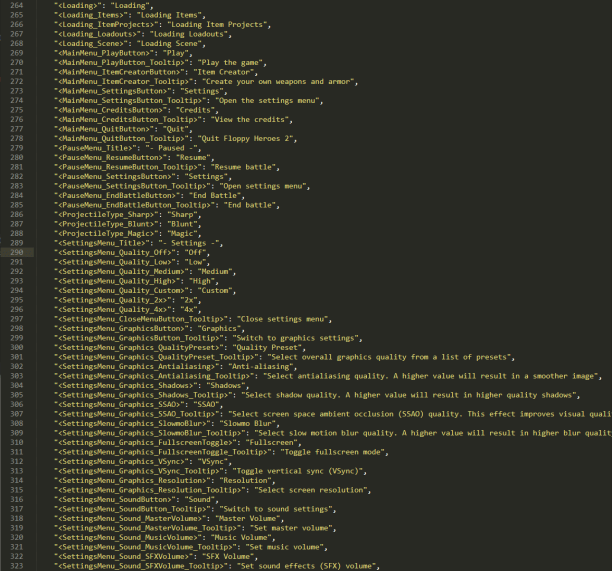
Another new feature, albeit probably less exciting, is support for multiple languages and community-made translations. Basically, all the in-game text (ie. buttons, labels, tooltips, etc.) is stored in an external JSON file that can be easily modified by anyone. The idea is that cool people fluent in non-English languages can translate the text file and share it on the Steam Workshop or wherever, allowing players who are not fluent in English to equally enjoy the game. Once a language file has been added, it can be selected from a dropdown list located in the in-game options menu. I will be sure to include a more detailed guide on creating and sharing translations when the game is released.

Translation
(But seriously though, you’re a cool person if you’re willing to translate all of this)

So yeah, that basically sums up all the big stuff. I’ll be working hard to ensure the game comes out within the next month or two, and I’m eagerly looking forward to reading everyone’s thoughts and suggestions when they can finally play the game for themselves!

-Rimply

Floppy Heroes 2 – Progress Update #5 — August 2, 2019

Floppy Heroes 2 – Progress Update #5

I know it’s been a long time since my last post, but don’t worry; I’ve been steadily working on the game as much as my free time has allowed. I’m still confidently aiming to have the game available on Steam before the end of 2019!

I’m happy to announce that super-important features, such as the item creator and the combat system, are practically complete and only lack some minor features and polishing. Aside from that, here’s a brief list of notable things I’ve implemented:

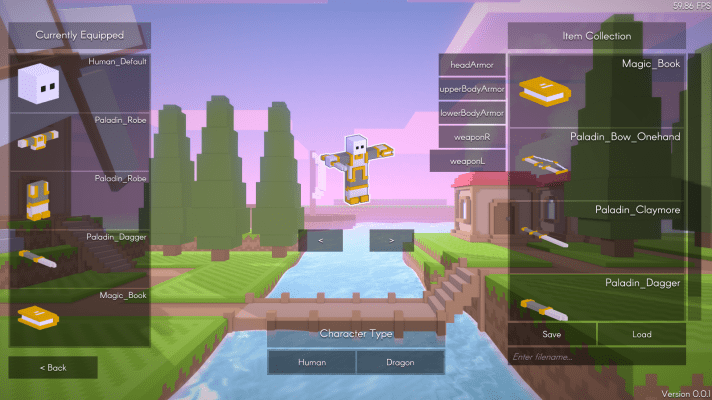
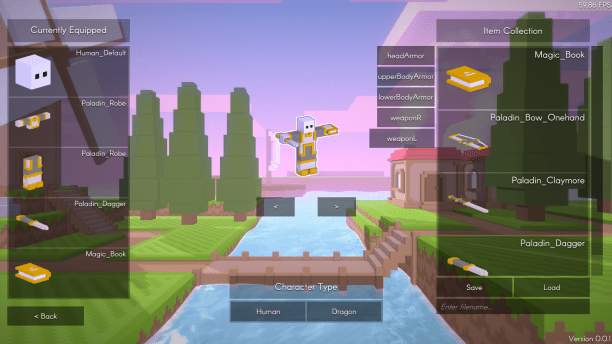
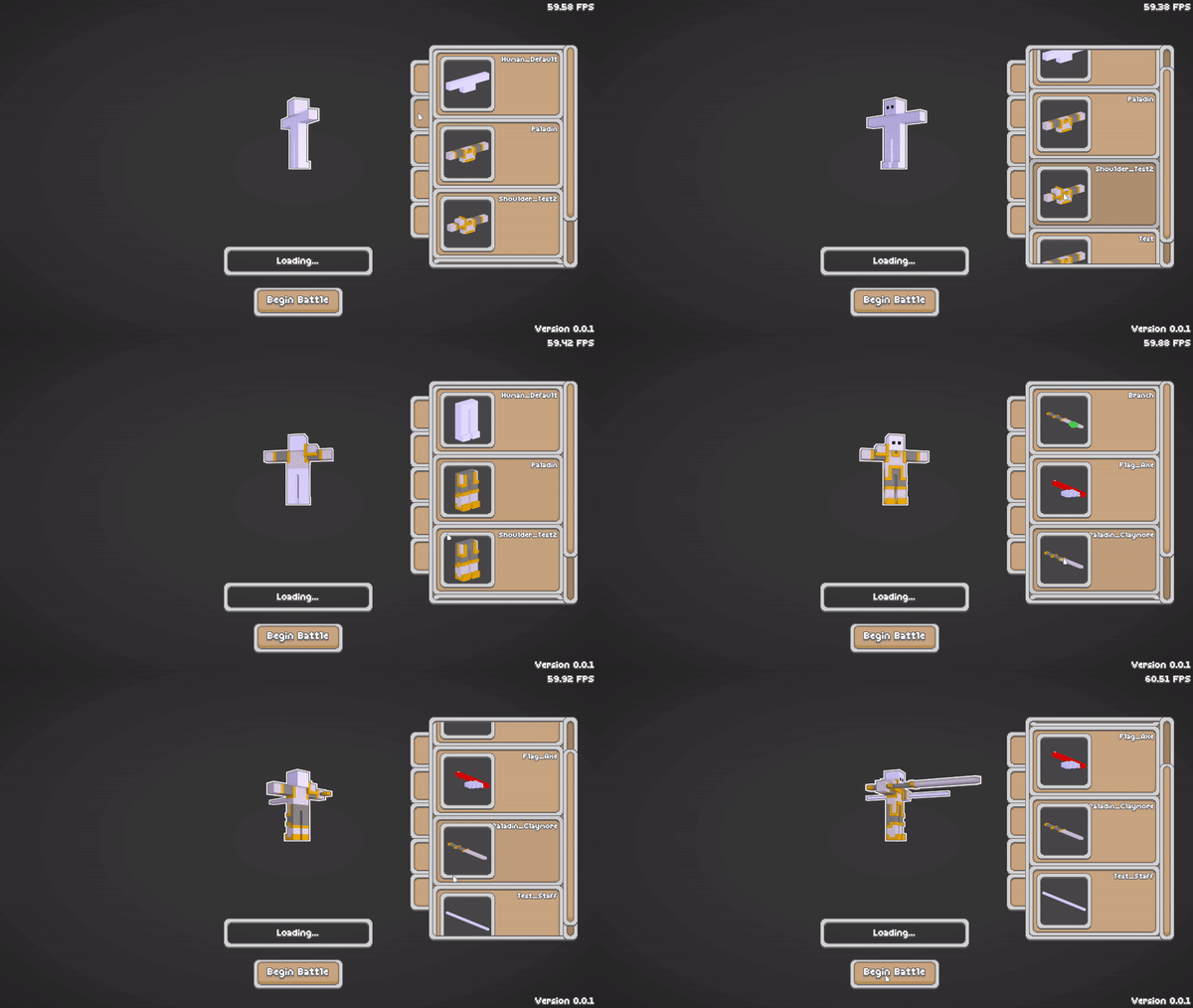
1. The character setup screen is now waaaaay more sleek and easy-to-use than in the first game. The items for each equipment slot (head, upper body, lower body, left-hand weapon, and right-hand weapon) are now neatly organized into lists, making it easy to gear up your character. And if you have a favorite outfit, you can quickly save and load entire equipment sets:

CharacterSetupMenu

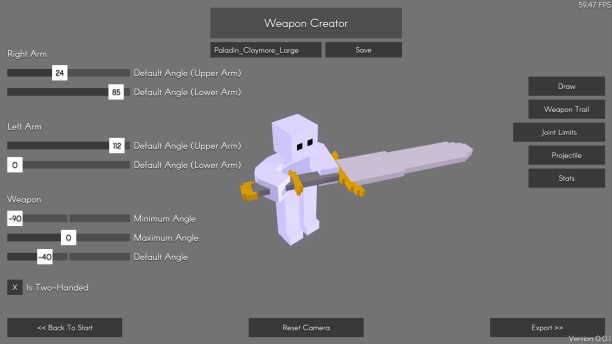
2.  As mentioned above, the item creator has most of its features implemented. After designing your item using the built-in voxel editor, you can customize various aspects. This includes basic stuff like stats (ie. health, mass, damage) as well as fancier things like being able to fire projectiles (and customizing those too). You can even modify how a character holds the weapon by simply tweaking a few sliders:

WeaponJointLimits

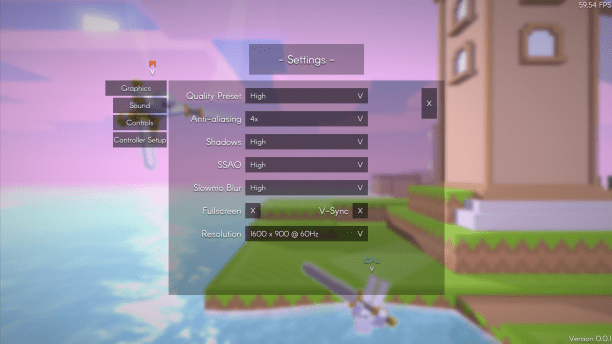
3. One of the smaller nuisances of the first game was the default Unity settings window that popped up every time you launched the game. This window was too basic to be helpful, and got in the way of achieving full controller support. This time around I’ve disabled the launch window and opted to code my own in-game settings menu:

SettingsMenu.png

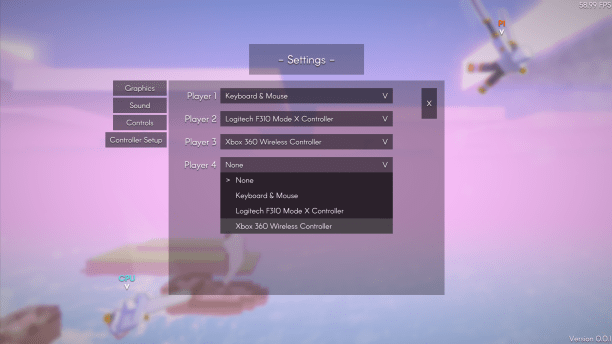
4. Another related nuisance was that managing multiple controllers was a bit of a headache since the game sort of just automatically assigned them, and you had to remember to manually set the controller number for each character before each battle. Not anymore! Now you and your friends can easily set up who controls what, even in the middle of battle:

SettingsMenu2

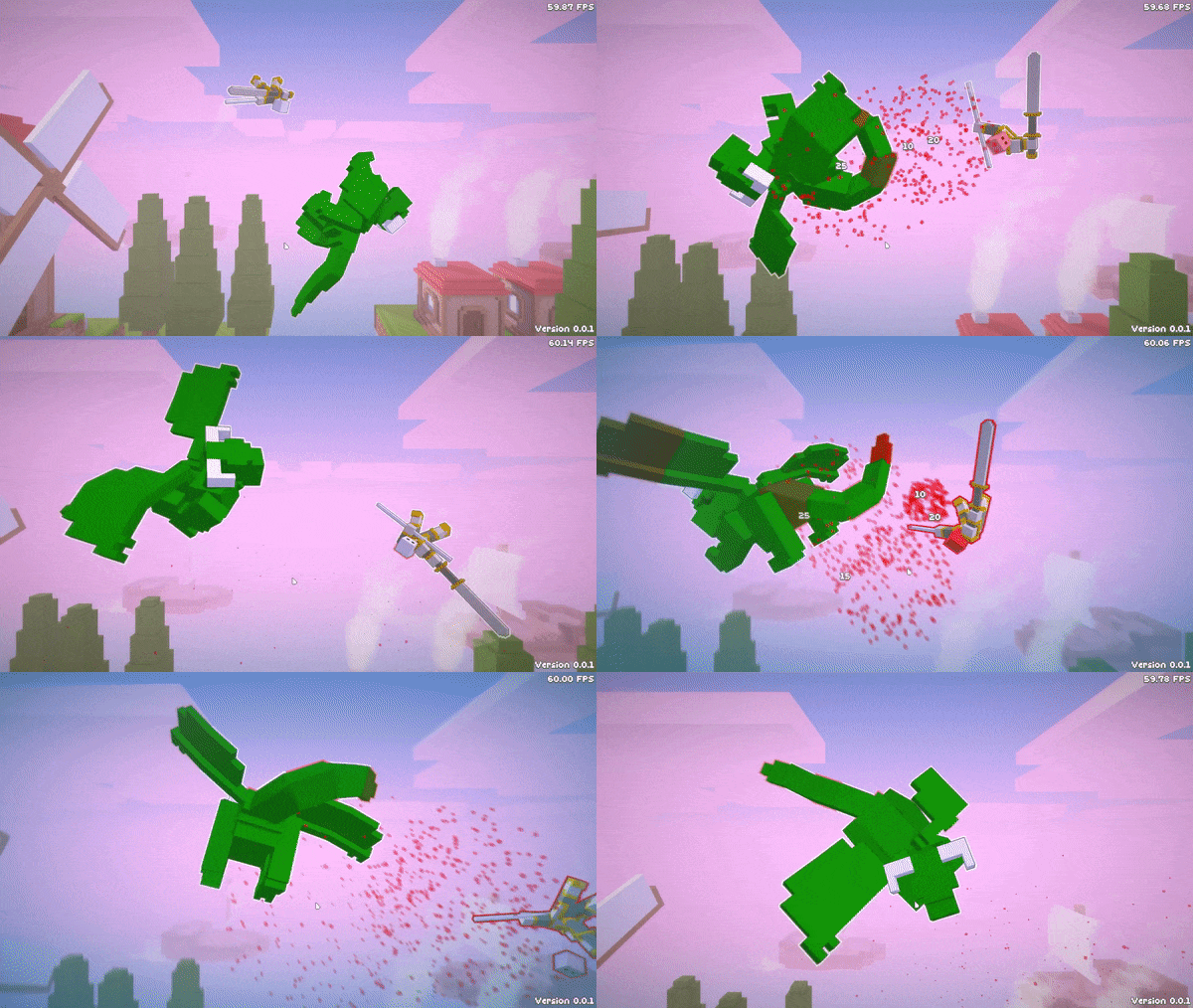
5. Titans are back!

TitanBattle

Long story short, things are coming together really well! With a huge percentage of the coding done, soon I’ll be able to focus entirely on content creation. And as you can probably tell by the screenshots, I really need to start focusing on adding more stages and equipment variety soon.

-Rimply

Floppy Heroes 2 – Progress Update #4 — March 15, 2019

Floppy Heroes 2 – Progress Update #4

Since the last update I’ve mainly been working on adding some structure on top of the foundation that’s been laid up until now. Or, to put it more clearly: So far the “game” has simply consisted of jumping into a pre-made battle with hard-coded characters and equipment setups; basically just a testing grounds for whatever I’m working on at any given time. Now that the core gameplay is working as intended, I want to put an emphasis on adding the necessary features to transition from a prototype to something that can actually be called a game. To clarify even further: I’m working on adding menus, settings, and other UI-related stuff so that the game can properly be played outside the Unity editor by someone who isn’t necessarily me.

One such feature is a character setup screen where you can easily customize your character. My main goal is to improve over the original game’s setup screen (which relied on clunky left and right arrows to gradually cycle through your available items) with a UI that uses tabs and a scrolling window to quickly show you all your available equipment choices. To make it easier to spot your favorite items, the built-in item creator automatically generates a thumbnail of each item (including the ones you’ll inevitably end up creating).

CharacterSetup
(Getting dressed has never been this fun!)

Another feature (that was brought up a while back in the Floppy Heroes 2 suggestion thread on Steam) is the inclusion of non-humanoid characters. My plan for the final game is to include a variety of character types for you to fight against AND play yourself. So far, I’ve implemented one alternative character type: dragons!

FightDragon
(That tail packs a helluva punch…)

The dragon itself is still a work-in-progress, but it should give you a good idea of the character variety that’s in store for the final game.

That’s all I’ve really got for flashy GIF’s for now. Like always, most of the progress is in the form of a bunch of boring code and technical stuff. The important thing is that the game is smoothly coming together, and I’m still optimistic about a 2019 release!

-Rimply

Floppy Heroes 2 – Progress Update #3 — August 26, 2018

Floppy Heroes 2 – Progress Update #3

Apologies for the long gap since my last post.

The last several months have mainly consisted of developing and debugging some tools related to asset creation. The first would be the previously-announced item creator, which is intended to allow everyone to easily create their own armor and weapons. I want to allow for a variety of items, both in terms of appearance and abilities, so I’m continually working on this to ensure it’s sufficiently feature-rich and polished for when the game eventually comes out. The second would be some custom-made level-creation tools for the Unity editor. I had experimented with some popular solutions, such as ProBuilder, but they didn’t have quite the right terrain-creation features I needed, so I opted to code my own. In conjunction with creating level props (ie. trees and houses) in an external voxel editor, and adding interactive elements through the physics engine and some code, this will allow me to quickly design a variety of arenas for the game.

In addition, I’m constantly tweaking and experimenting with the code, physics settings, and visual effects to ensure CPU and GPU usage are as low as reasonably possible without affecting the game. By doing these sort of optimizations early on I’ll be able to avoid huge headaches later in development, when changing code tends to break things.

Finally, based on progress so far, my current rough estimate is a mid-to-late 2019 release.

Floppy Heroes 2 – Progress Update #2 — February 17, 2018

Floppy Heroes 2 – Progress Update #2

Look over there, it’s a progress update!

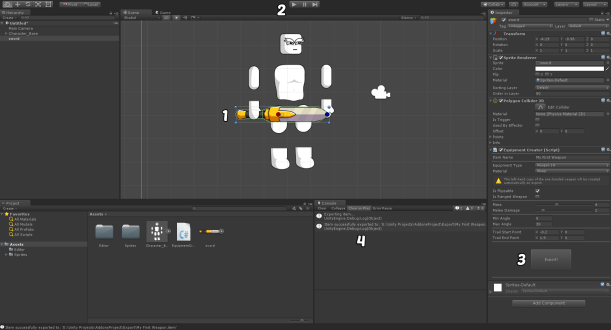
In the original Floppy Heroes, custom weapon and armor creation was an afterthought; a feature that was added post-release after players asked for it. Since, at the time, I had never implemented a content creation tool before, it ended up being a bit crude. It required the user to go out of their way to install Unity, draw their item in an art program, import the .png into Unity, play with a bunch of knobs and buttons, then finally copy-paste the item file into their Floppy Heroes folder…

OrigCreator
Obviously, it didn’t get a lot of use…

…But! Thanks to the mountain of stuff I’ve learned since making the original game, the sequel’s item creator will be in-game, much easier to jump into, and available right at launch!

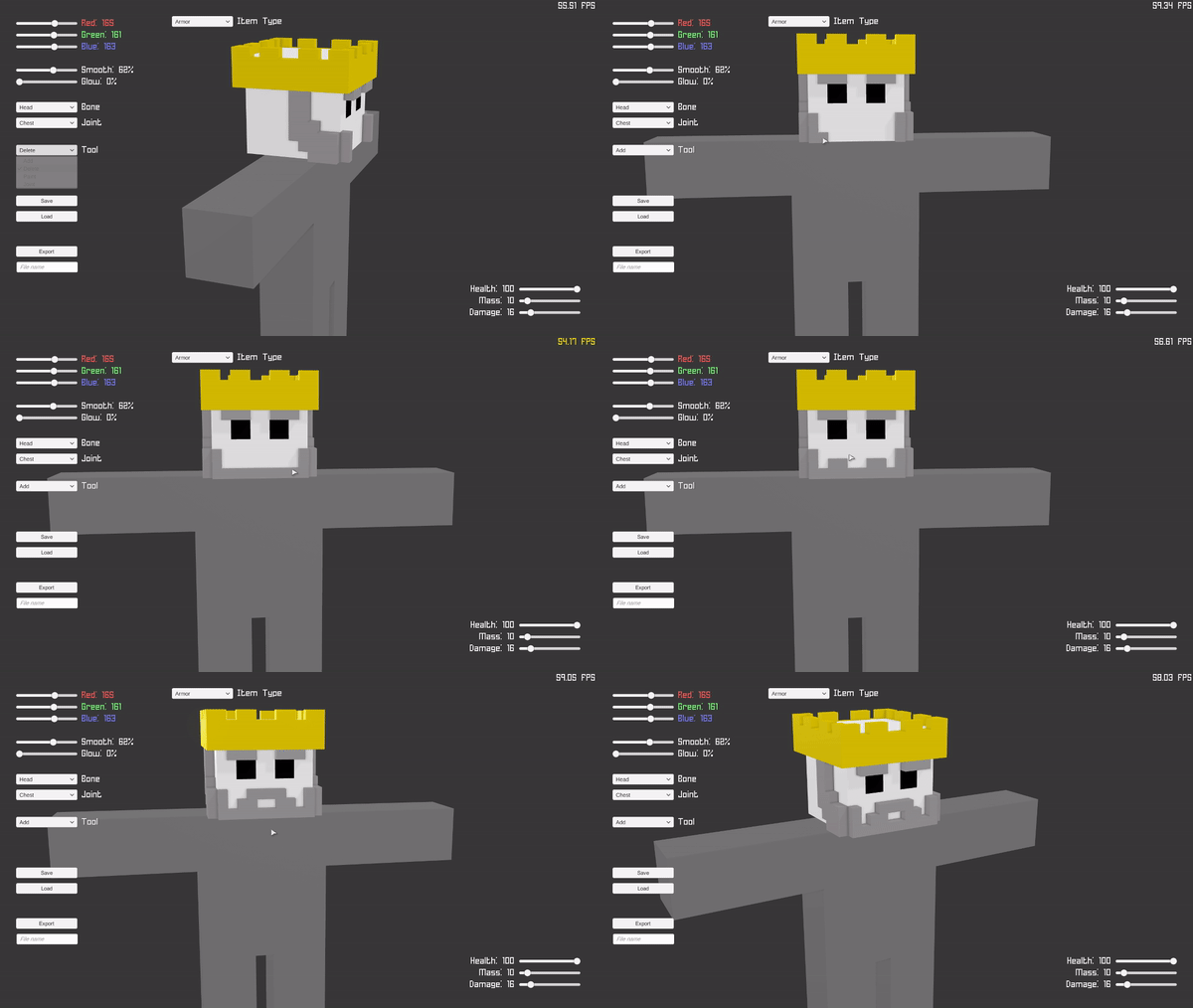
Basically, now all you’ll need to do to make neat weapons and armor is:

  1. Pick a color
  2. Select the ‘Add’ tool, then click to add cubes wherever you want ’em
  3. Use the sliders to set your item’s stats
  4. Name the item, and click ‘Export’

All the heavy lifting, such as meshing the cubes, rigging the mesh, and adding colliders are all done automatically!

BeardCreator

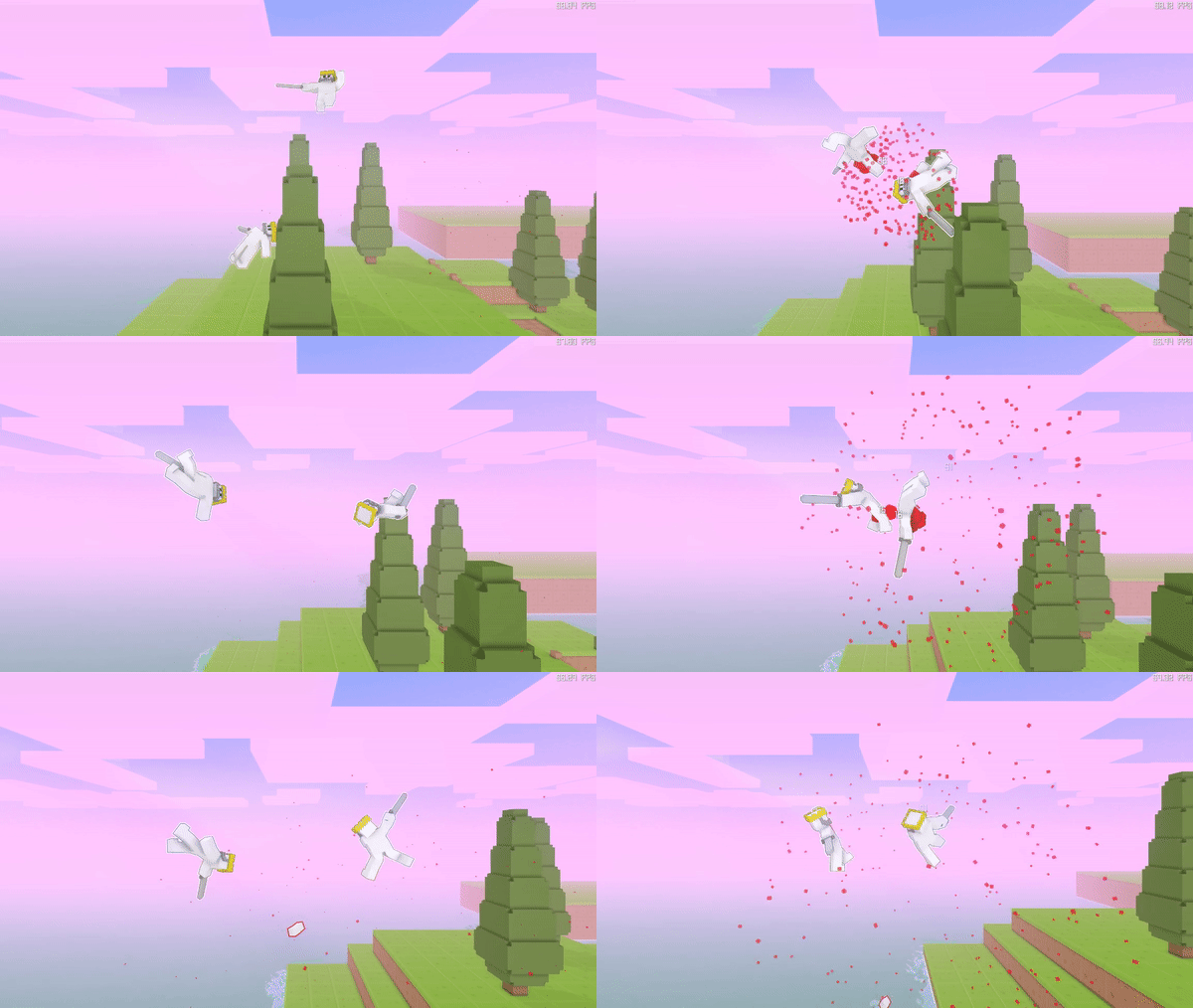
Fight
(Probably should’ve given them more than just a crown and a sword…)

The plan is to integrate it with Steam Workshop, so you’ll be able to quickly share your creations, and download weapons and armor made by other players!

-Rimply

Floppy Heroes 2 – Progress Update #1 — October 23, 2017

Floppy Heroes 2 – Progress Update #1

Over the last month, I got a bit side-tracked from the coding side of things.

I was showing a friend an early build of the game (which looked like this), and they pointed out how much neater it would be if the characters were actually fighting in the level, rather than inside a “picture frame” in the foreground. They were totally right. Since the levels are actual levels now, instead of just two-dimensional sprites, it’s a waste to drop the players in a flat, featureless box when they could be fighting on a bridge or in the clouds, or something.

Screenshot4
(Pictured: Fighting on a bridge. Not pictured: Walls)

So I got rid of the confining walls (…at least for the outdoor levels).
There will still be some sort of level bounds (lest players fly away into space) but they won’t be as claustrophobic as the giant pillars protruding from the ground.

In addition, I’ve been working on giving the visual style a good polish before moving forward.
By re-making the objects, adding post-processing effects such as SSAO and bloom, and making the water look like actual water rather than a blue carpet, we’ve gone from this:

ScreenshotOld2

To this:
Screenshot3

The game is still in the early stages of development, and there’s plenty of work ahead, but it’s nice to see things gradually taking shape.

-Rimply

Floppy Heroes 2 – Progress Update #0 — September 20, 2017

Floppy Heroes 2 – Progress Update #0

(Note: This is more of an introductory post, hence “Update #0”)

The blog is finally up!

Earlier this year, I announced that I’d begun developing a sequel to Floppy Heroes. Later, I also posted some early footage of the sequel’s new style.

With the leap to 3D, the entire game needed to be rebuilt from scratch. This is something that’s been taking me a while, and a lot of what I’ve been working on so far has been the coding related to the core functionality of the game. Therefore the more tangible, graphics-related things are still on the way, along with more screenshots and videos.

On the bright side, developing the sequel with a clean slate has also been a great opportunity to use what I’ve learned from working on the first game, as well as working with Unity in general. So far it’s paying off. The code is much cleaner, my 5-year old notebook can run the current build at a steady 60 fps, and it’s much easier to add or modify in-game items (which improves the possibility of modding).
Another notable improvement is the use of XML files to store in-game text (rather than hard-coding everything), which allows for the possibility of some benevolent souls to help localize the game further down the road. This would be nice, as a sizable number of people who bought the first game are from non-English-speaking countries.

From this point onwards, I’ll focus on using this blog as the primary place to post news and updates on the development of Floppy Heroes 2. I’ll still continue to poke my head into the Floppy Heroes forum on Steam on a regular basis, so feel free to continue reaching out to me there if you prefer.
Also, as always, post any suggestions you may have for the sequel here. I always read them, and I’ve already received some great ideas to implement once development is further along.

As always, thank you to everyone who has continued to follow and support Floppy Heroes!

-Rimply